Using the Email Customizer plugin, you can preview the created email template and even send test emails to understand how the template looks.
To get the template preview,
-
Open the created template.
-
Click on the Preview button.
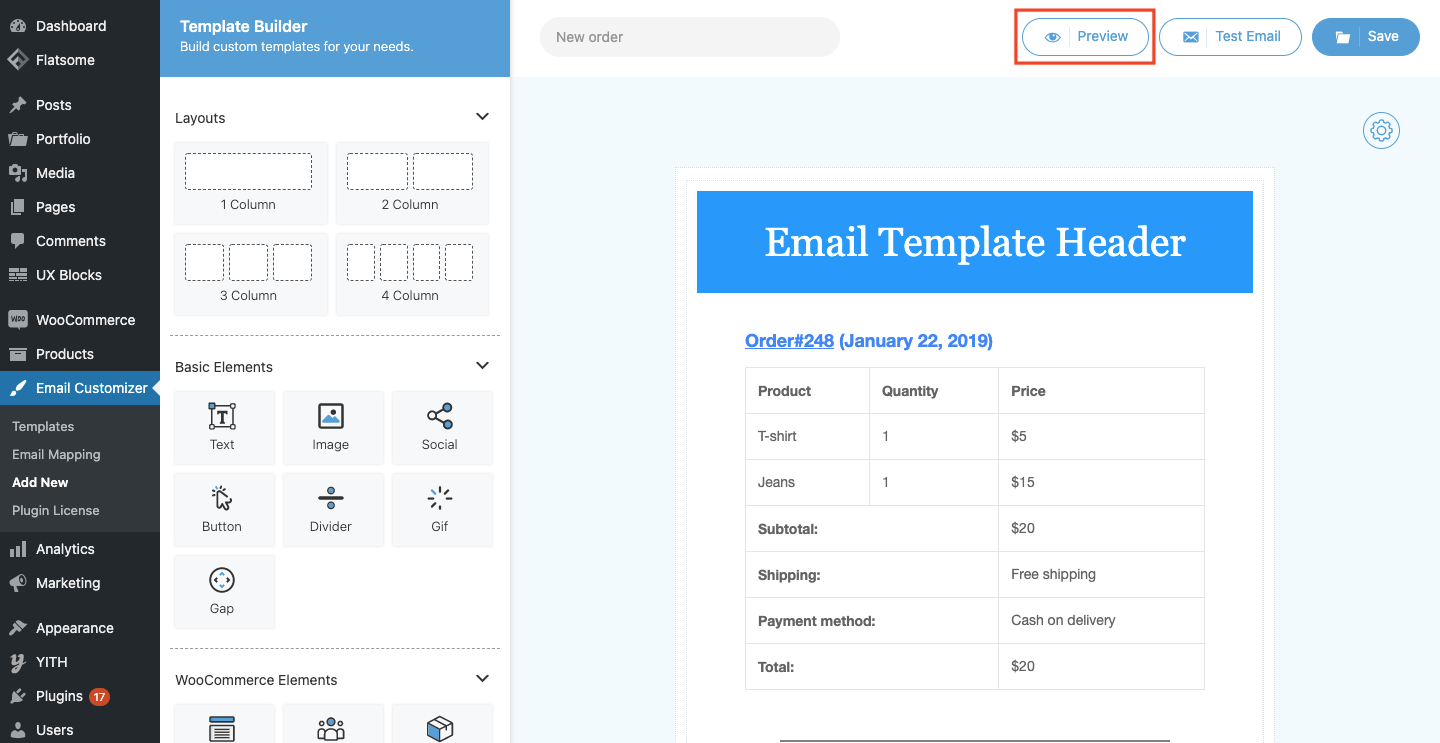
- Choose the specific order from the Choose an order dropdown. Also, choose the order status emails from the corresponding dropdown. Click on the Preview button.
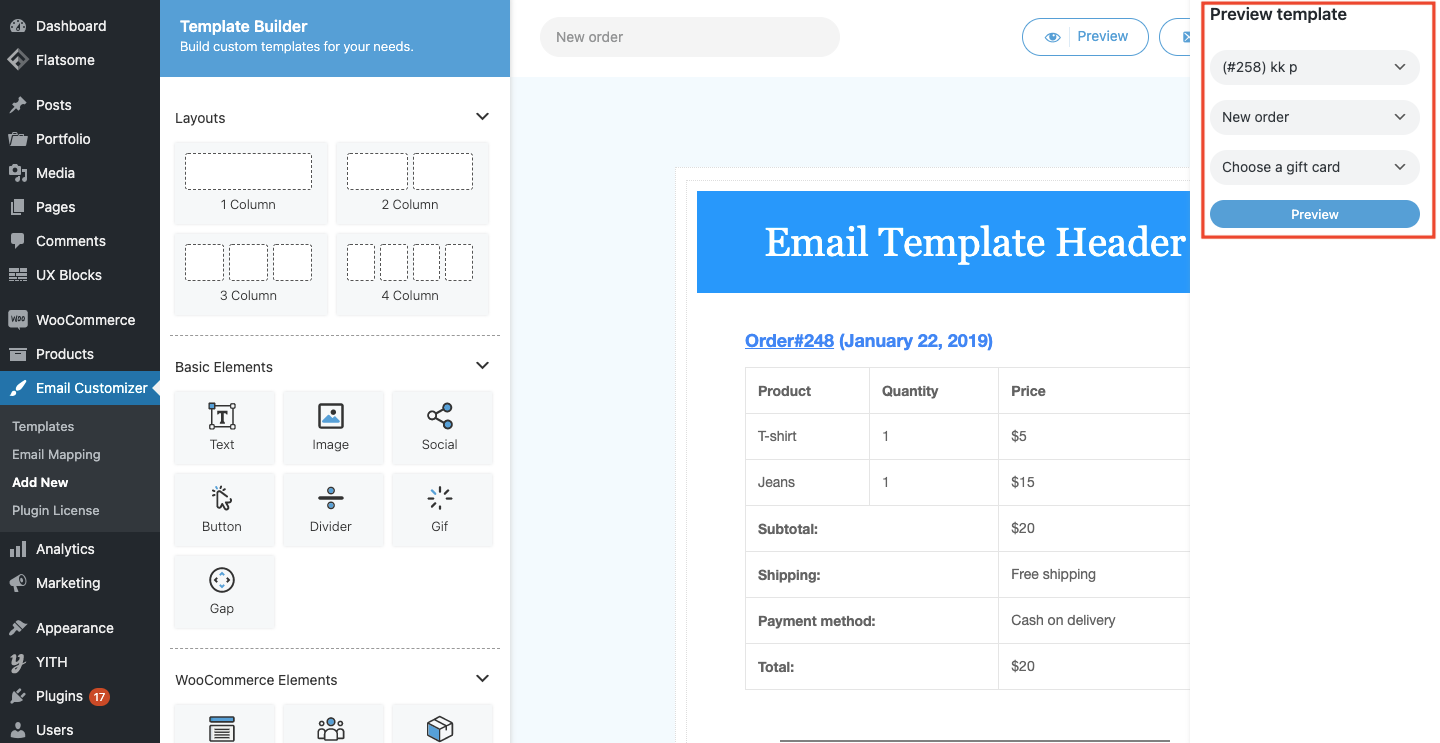
-
A preview of the template will be displayed.
To send test emails,
-
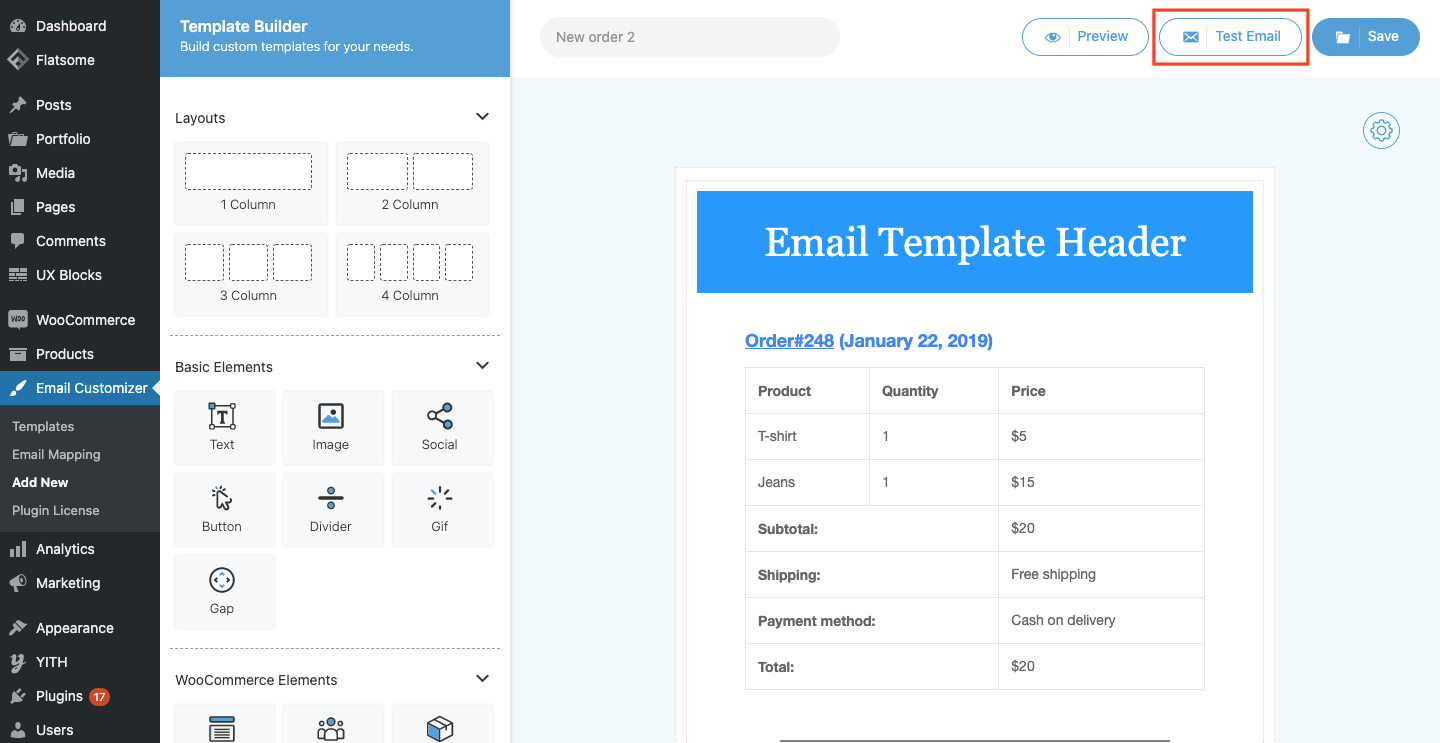
Open the created template and save it with a suitable template name.
-
Click on the Test Email button.
-
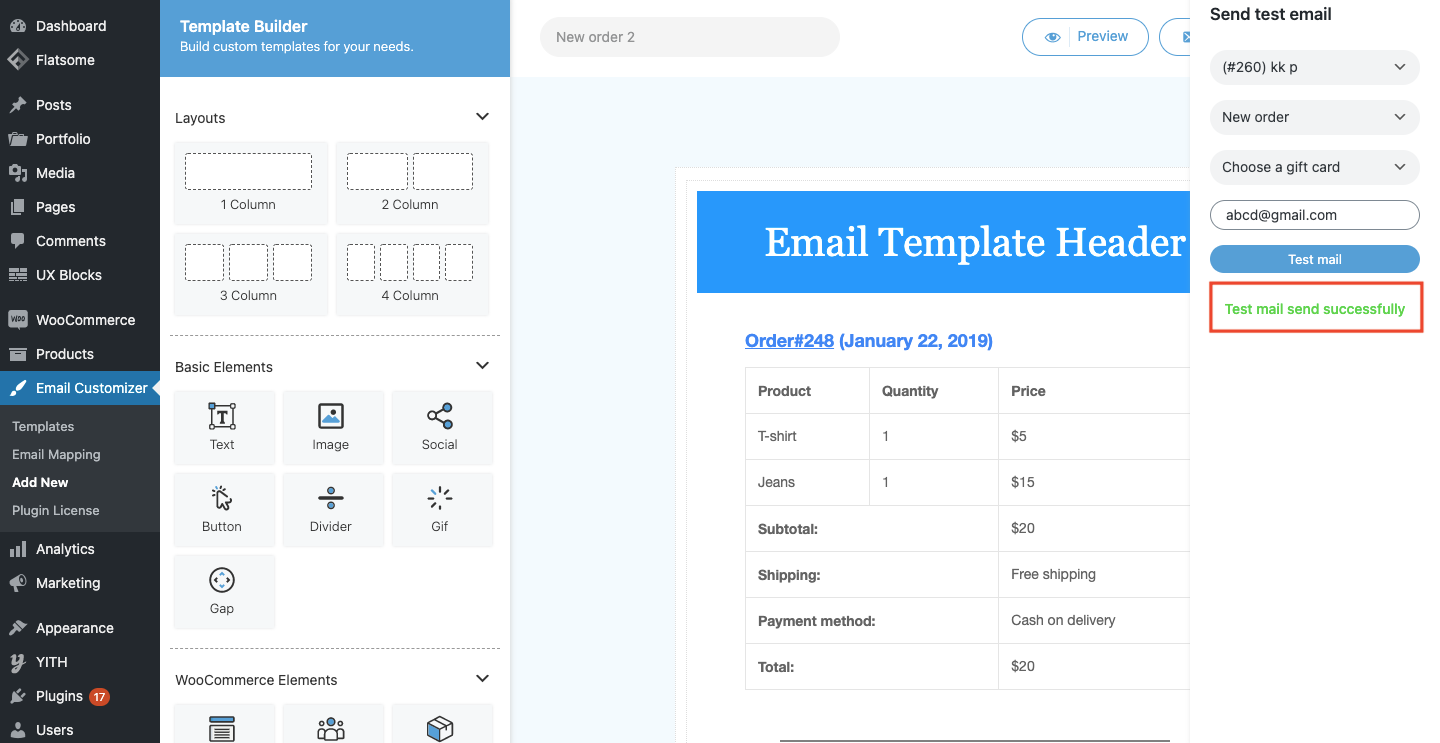
Choose an order and email status from the corresponding dropdown.
-
Enter the mail id to which the email should be sent.

- Click on the Test Email button. The test email will be delivered to the provided email id and a Test mail send successfully message will be displayed.
Comments
0 comments
Please sign in to leave a comment.